

Media Command™: A Cloud-Native Media Operations Platform
Media asset management, ingest, recording, playback, channel Playout and master control in a single system, operated 24/7 in the BMG Cloud Control Center™. Built for broadcasters, financial institutions, federal agencies, and enterprises running live channels or recurring programming.
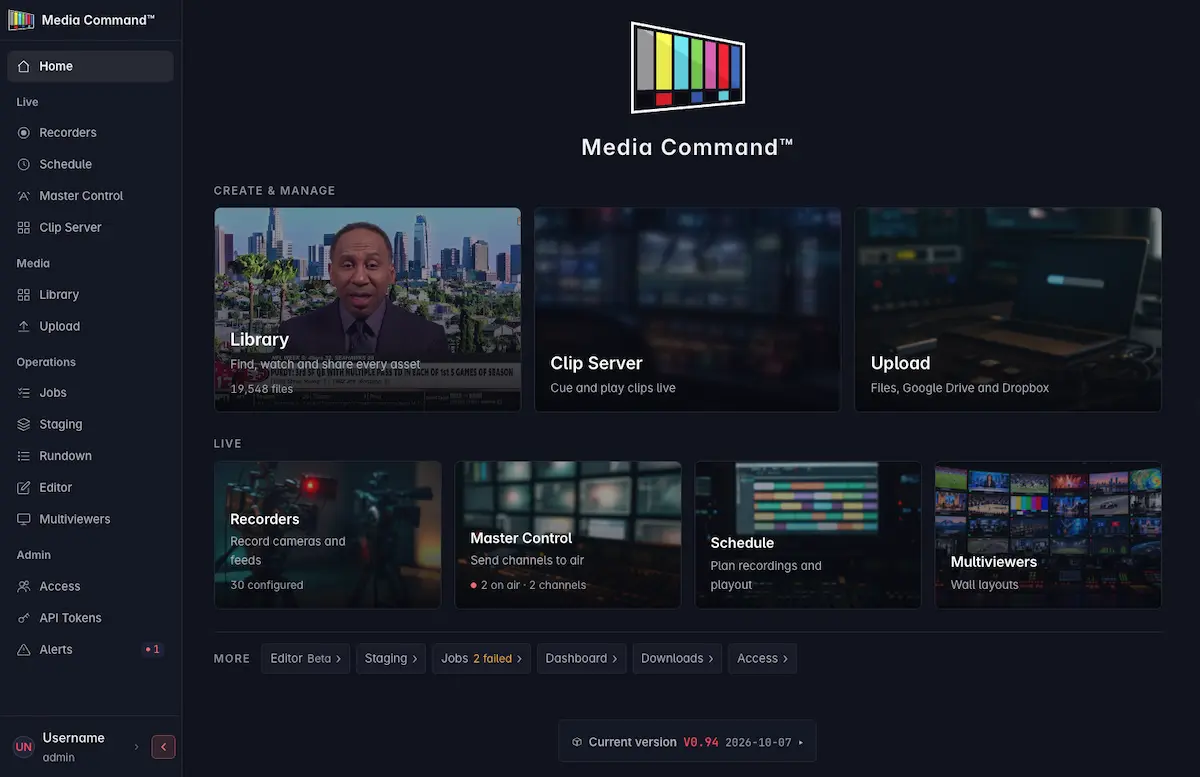
Channel Operations as a Managed Service
Broadcast operations often rely on multiple systems to record, store, search, manage, and play out content. Media Command™ brings those functions together in a single, integrated platform, supported 24/7 by BMG’s Network Operations Center and private cloud infrastructure.
With Media Command, BMG manages the infrastructure behind your operation, so your team can focus on content and programming.
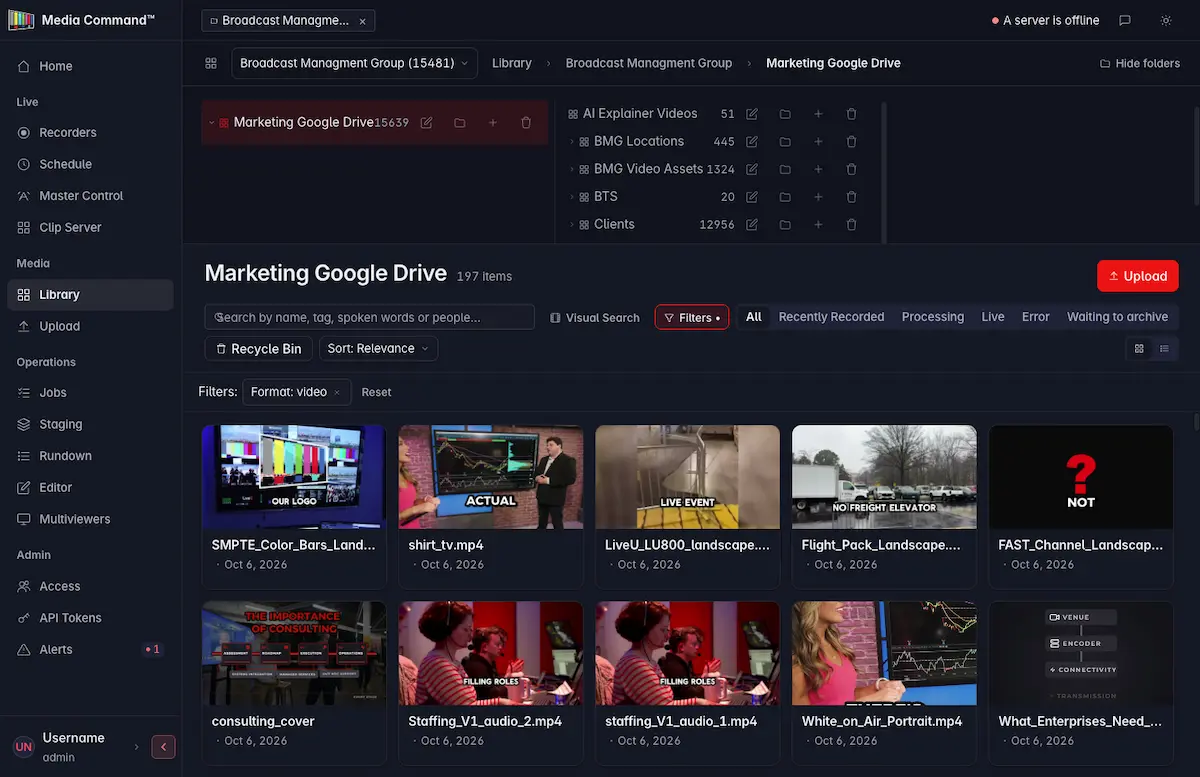
TAMS: Why Your Editors Stop Waiting
Media Command stores content in a Time Addressable Media Store. Every piece of media that enters the MAM is broken into 2-6 second segments, held on commodity object storage, and indexed on a precise timeline.
Two things change because of that.
An editor can work on a live event while it is still happening
The segments become addressable as they are being recorded. Nobody waits for the file to close. Editors can identify key moments, create clips, and publish highlights to social media while the event is still underway, turning live content into timely, shareable assets.
You stop paying to store the same frames twice
Conventional workflows create a copy for the edit, a copy for the archive, a copy for the proxy and a copy for distribution. Time addressable storage references the same segments instead of duplicating them. Commodity object storage in place of legacy broadcast-priced storage is the second half of the savings.
Built-In AI for Media Operations
Media Command™ incorporates AI capabilities directly into the media management workflow, helping teams make content easier to discover, organize, and use without relying on separate AI services that may carry additional costs or require exposing a media library to an outside provider.
By incorporating AI into the platform, Media Command™ reduces the need for separate tools and additional service costs while helping organizations maintain greater control over their media workflows and content access.
Built-in AI can support capabilities such as:
AI-powered search
Find relevant content using descriptive queries instead of relying solely on filenames and manual metadata.
Automated transcription
Generate searchable text from spoken content to help editors locate specific moments.
Content metadata and tagging
Reduce manual effort by identifying relevant information and improving content discoverability.
Faster content discovery
Use searchable media information to locate clips and moments for editing, publishing, and distribution.
One platform. One vendor. Five functions.
Most broadcast operations are a stack. An MAM from one vendor, playout from another, quality control from a third, captioning from a fourth, and you managing engineering to keep the platforms talking to each other and operators that can run each independent part.
Media Command is one unified platform. Media asset management, live ingest, record, playout, master control, channel operations, and distribution, with a single vendor for maximum efficiency.
Platform Capabilities
Record
Multi-format ingest incl. SMPTE ST 2110, instant TAMS indexing
MAM
Search, organize, access from anywhere
Playout
Direct-to-air, automation, monitoring
Archive
Long-term retention, immutable storage
Edit
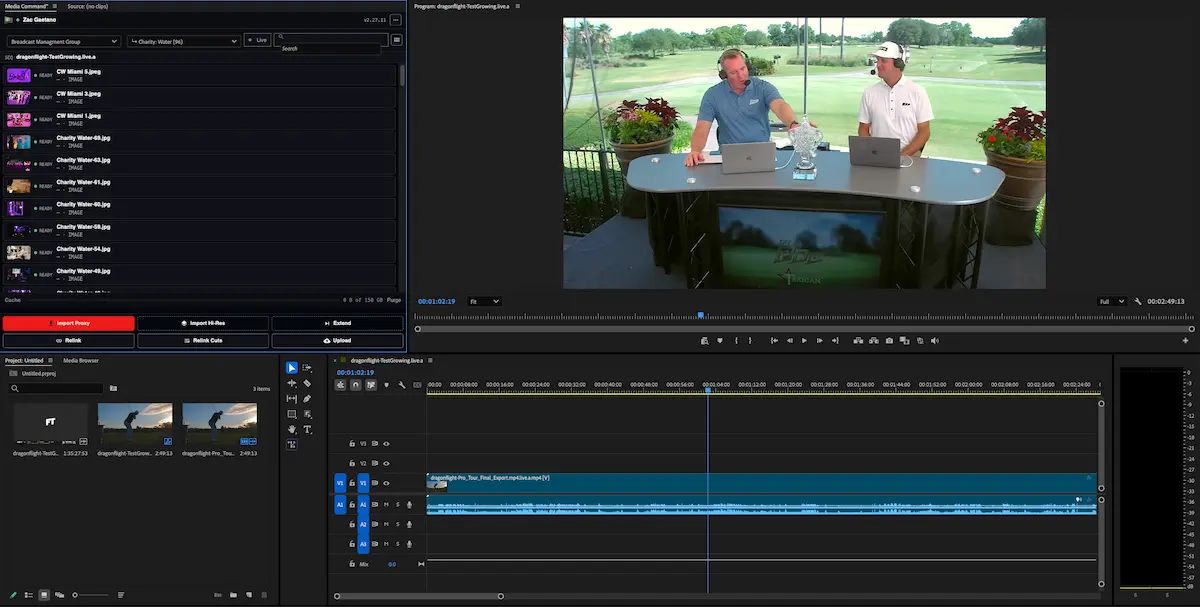
Premiere & Resolve plug-ins, edit while recording
AI Search
Automatic transcripts, natural-language search
Compliance
As-run logs, captions, SCTE-35 ad markers, missing lists, SCTE-104, compliance recording
Security
Single sign-on, role-based access, audit trail
Google Drive & Dropbox Integration
Import files, folders and shared links
Transfer App
High-speed uploads & downloads for remote teams, Windows & Mac
AWS S3 Integration
Import directly from your existing buckets
Migration
BMG-assisted bulk move of existing libraries
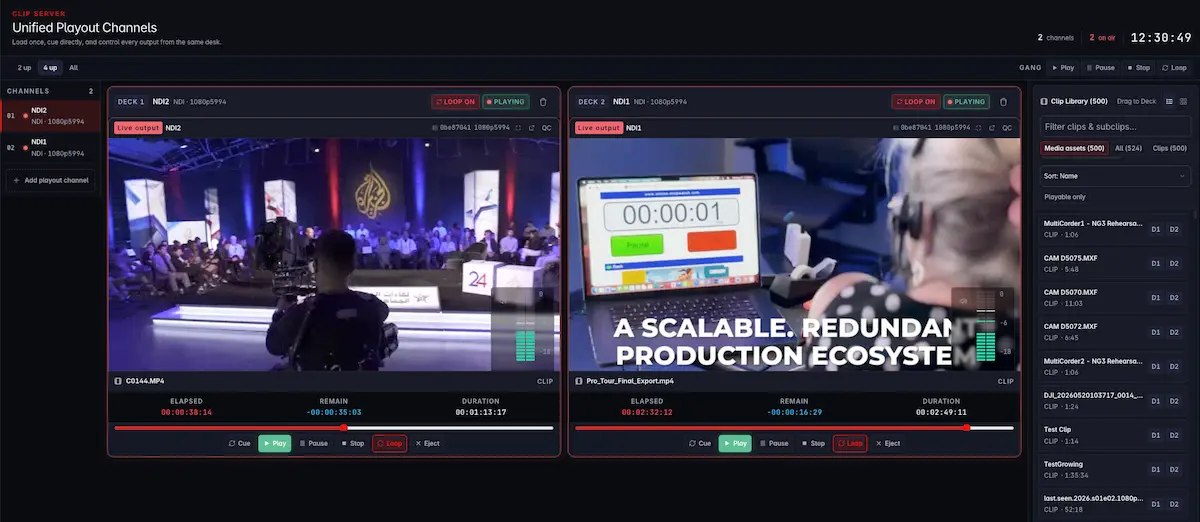
How It Works
Everything enters through the media asset management layer, and everything leaves from it.
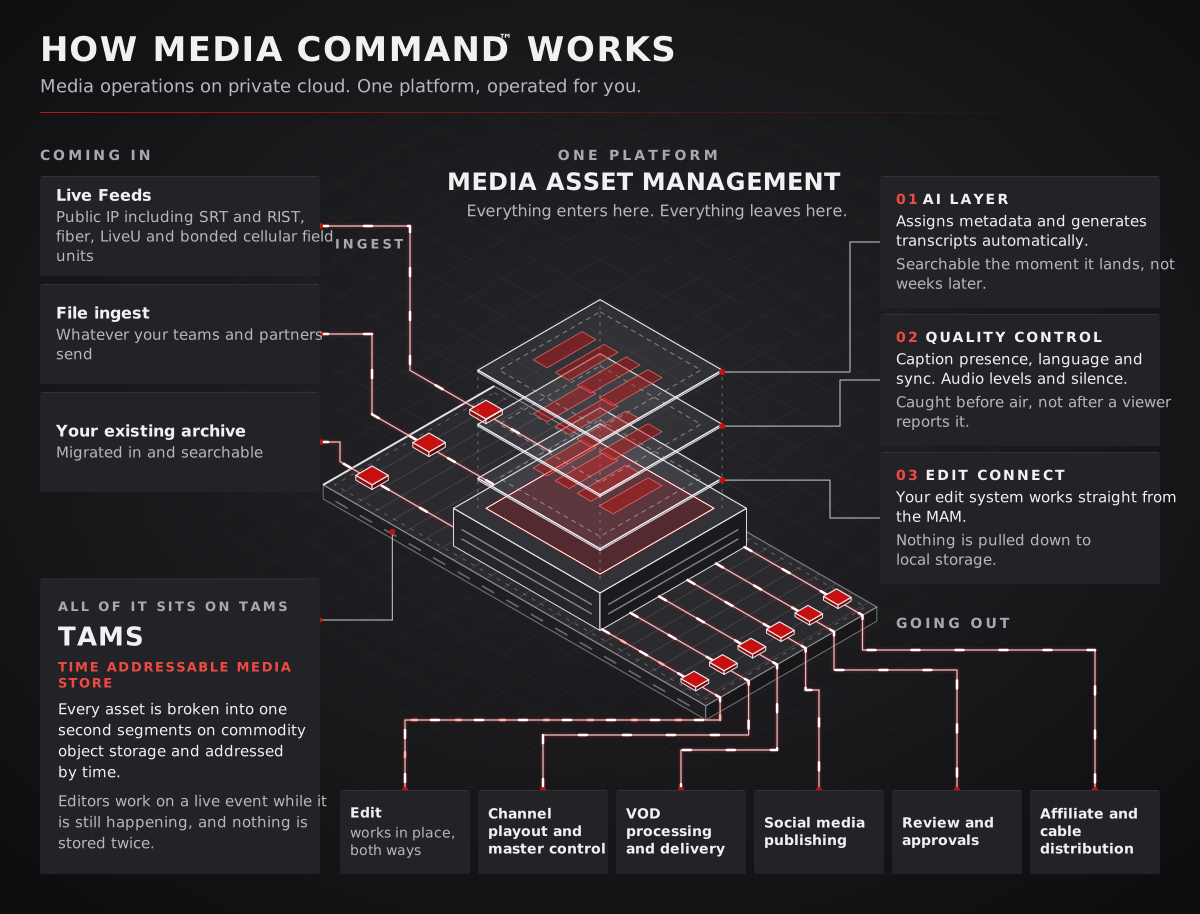
Coming In: How media enters the platform
Everything enters through the media asset management layer, whether it’s a live feed, file, or existing archive.
Live and feed capture
- SRT
- RTMP
- JPEG-XS
- 3G-SDI facility tielines, capable of capturing feeds from satellite, LiveU, and other sources
- 12G-SDI facility tielines, capable of capturing feeds from satellite, LiveU, and other sources
File ingest and transfer
- Google Drive
- Dropbox
- Generic S3
- AWS S3
- Hard drive archives
- Signiant
- Media Shuttle
- MASV
Existing archives can also be migrated in bulk by BMG engineers.
What happens in between
This is where media is organized, prepared, and made accessible to the teams working with it.
- AI indexes every asset on arrival. Video, audio, and speech are analyzed, metadata is populated, and transcripts are generated automatically. Search any term and quickly locate the frame where it appears.
- Automated quality control checks caption presence and language, caption sync, audio levels and silence, and missing, black, or frozen video. Issues can be identified before they reach air.
- Your edit system connects directly to the MAM. Editors can connect remotely through Premiere or Resolve plug-ins and work against the MAM rather than relying on local copies. Full-resolution files can be imported, high-resolution files can be trimmed before import to reduce bandwidth, or editors can use a complete offline workflow with proxies.
Going Out: How media leaves the platform
Everything leaves through the media asset management layer, supporting distribution, delivery, and downstream workflows.
- Channel playout: SRT, RTMP, JPEG-XS, and MPEG-TS
- VOD delivery: HTTPS, and SFTP
- File delivery: HTTPS, and SFTP
- Application-based file delivery: Fast remote uploads and downloads similar to MASV and Media Shuttle
Where your media lives
Your media sits in the BMG Cloud Control Center™ facilities BMG owns and operates. Not in a public cloud region. Not in shared hyperscaler infrastructure.
The platform is multi-tenant by design, so capacity is shared, secured and siloed rather than duplicated for every customer. Most vendors avoid multi-tenancy because a separate deployment per client bills better for them. We built the opposite, and the savings land with you.
For financial institutions, federal agencies, and anyone who has to answer a question about where media is held and who can reach it, our security policies are available to satisfy any concerns.
Media Command against a conventional build
Getting started
Discovery
Map your current systems, channels and workflows with our engineers.
Pilot
Run Media Command against your own content, alongside your existing gear. Nothing is cut over.
Go live
Channel by channel, on your schedule. Our NOC takes operations from there.
Get in Touch with Our Team
Tell us what you’re working on, and we’ll connect you with the right team to help.
Gravity Forms Privacy Policy and Terms of Service apply.
"*" indicates required fields
Ready to get started?
Connect with us to discuss your project and get a quote. We'll get back to you as soon as possible.
"*" indicates required fields